 ThunderJump
Jump to any Thunderbird folder in a keystroke
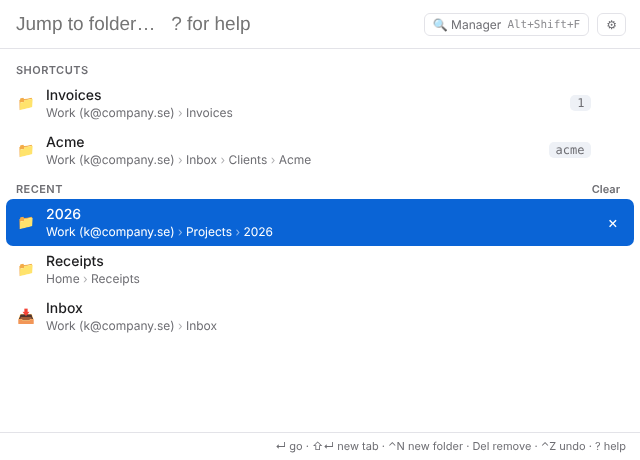
Press Ctrl+Shift+Space, type a few letters, press Enter. ThunderJump opens the folder and scrolls the folder pane to it, across every account.
Free and open source (MIT) · Thunderbird 91 to the latest release · No data collection
Everything for folders, nothing in your way
If you have dozens or hundreds of folders, scrolling the folder tree wastes minutes every day. ThunderJump replaces it with a search box that answers instantly.
Fuzzy folder search
Type inv24 to find Invoices › 2024. Every account, recent folders first.
Shortcuts
Save a folder as j1 or a name with :jj work; jump back with j1 or :j work, or Alt+1…9.
Create folders on the fly
clients > Acme/2026 finds the parent and creates the path. Date patterns like {YYYY}/{MM} work too.
Move, copy, tag – with undo
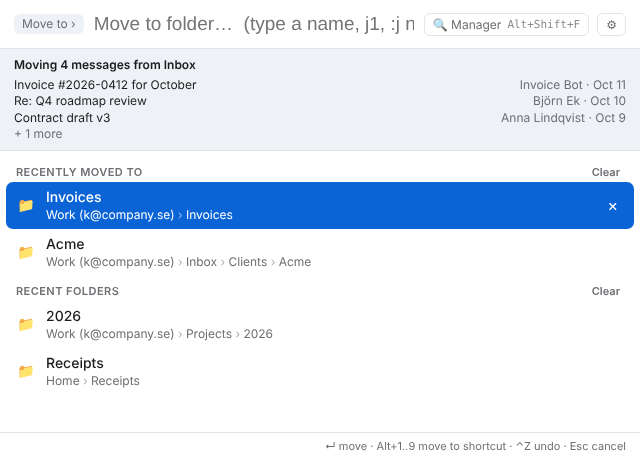
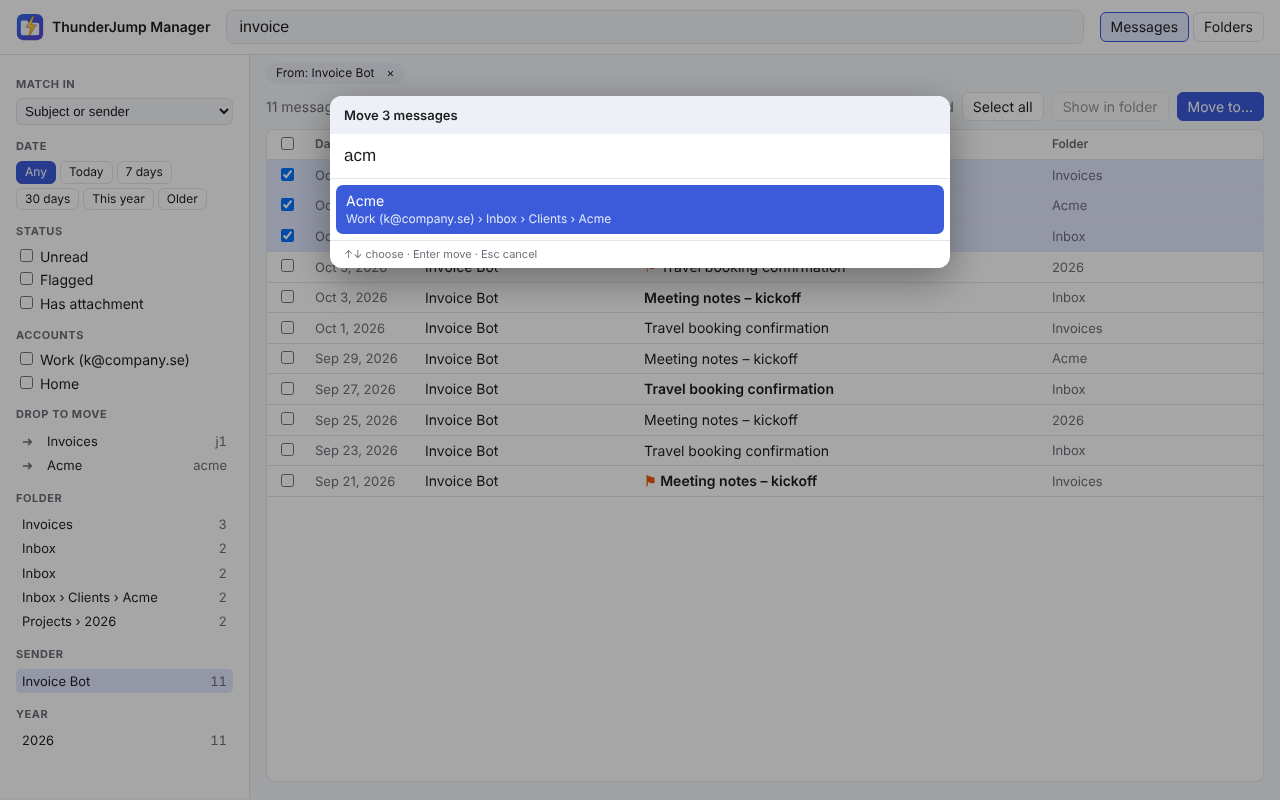
Select mail, press Alt+Shift+M or type move inv. Copy and tags when you want them; Ctrl+Z undoes moves and tags.
Suggested folders
Optional rules (“from acme → Clients”) plus folders learned from where you filed a sender's mail before.
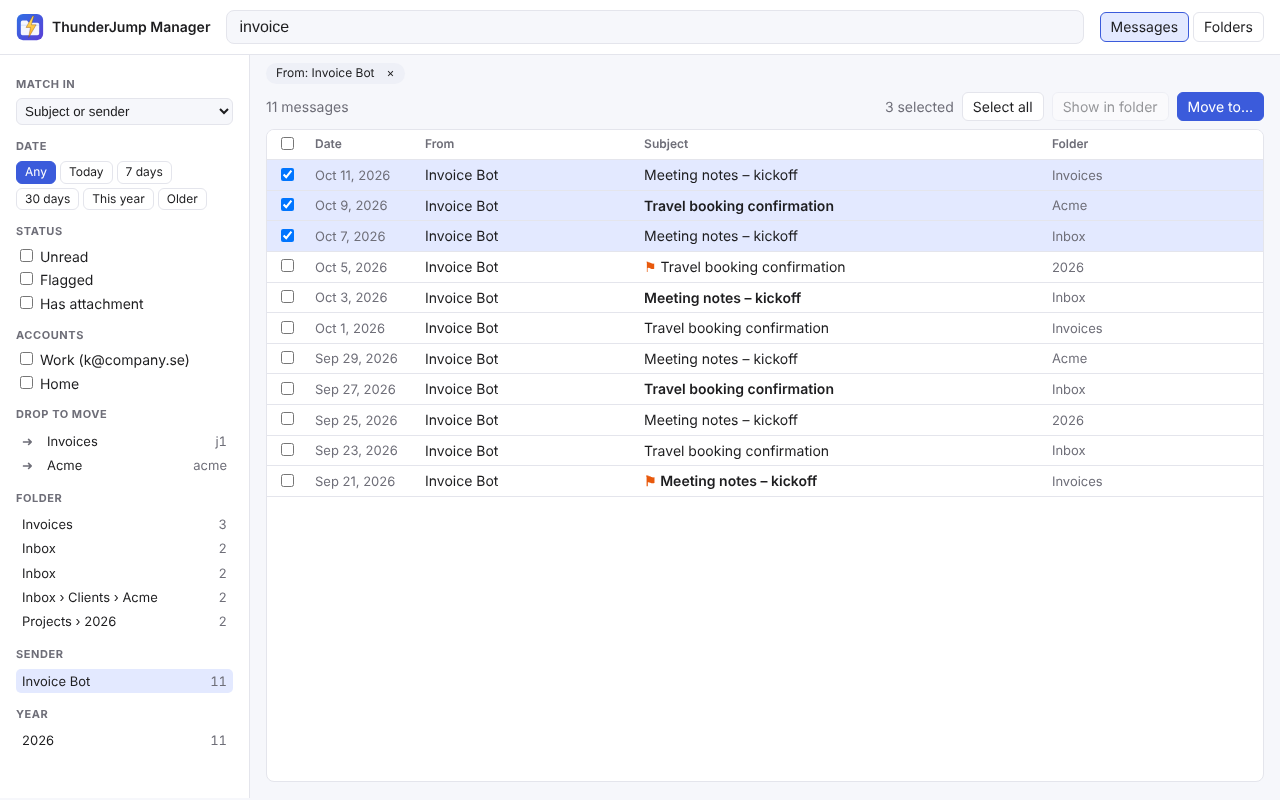
ThunderJump Manager
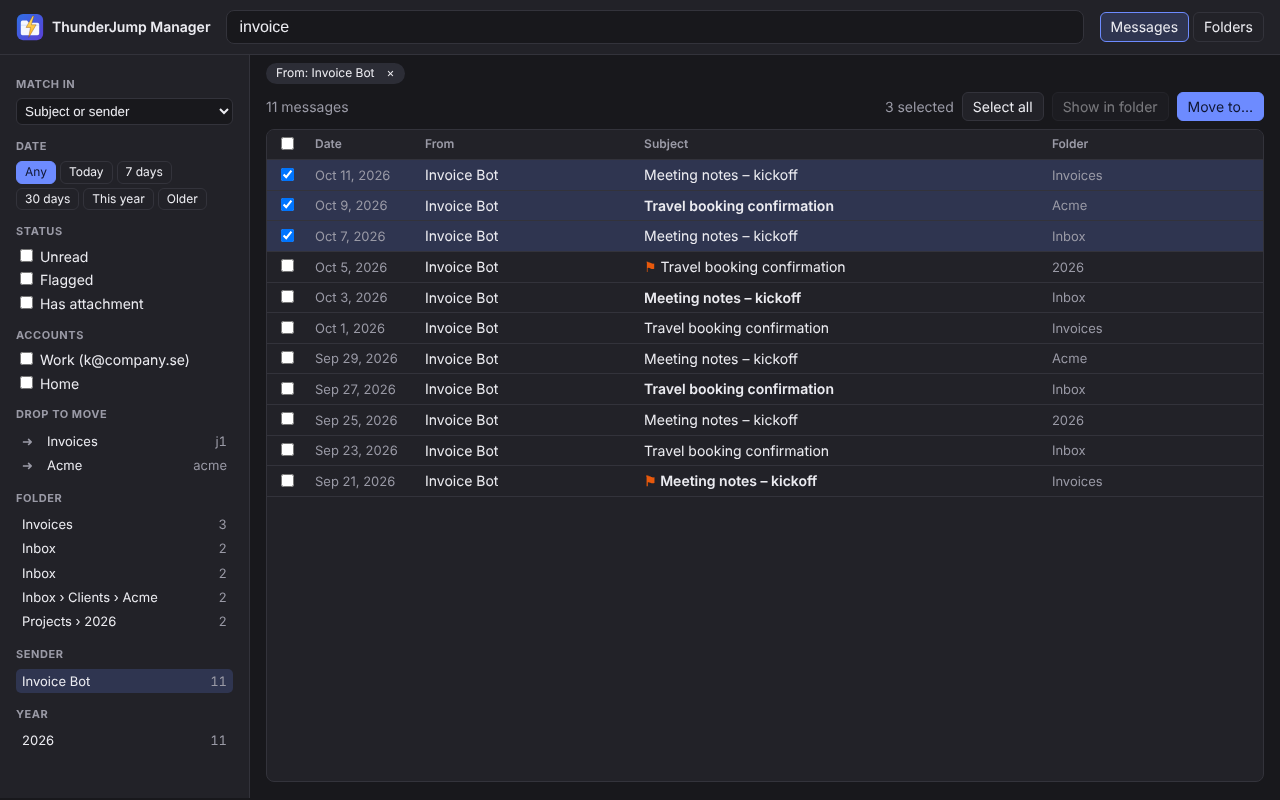
A full page to search mail with facets (folder, sender, year), then move results in bulk or by drag and drop.
Right-click a folder
Save it as j1…j9 or a named shortcut, make a subfolder, or search its messages.
Your keys
Rebind every shortcut in the settings, including plain function keys like F2.
Light and fast
About 110 KB, no Experiment APIs. Lite mode opens the spotlight in about 20 ms.
See it
Keys and commands
Defaults below; change any of them in the settings (type :keys).
| Ctrl+Shift+Space | Open the spotlight palette |
| Alt+Shift+M | Move the selected messages |
| Alt+Shift+Z | Undo the last move |
| Alt+Shift+F | ThunderJump Manager |
j1 · :j name | Jump to a shortcut |
:jj1 · :jj name | Save the current folder as a shortcut |
parent > New/Sub | Create folders inside a searched parent |
move inv | Move the selected messages to a folder matching “inv” |
:s invoice | Search mail in the current folder (:sa = all folders) |
Built to keep working
Folder add-ons that reach into Thunderbird's internals often break when Thunderbird updates, and you wait for a fix. ThunderJump uses only the official MailExtension APIs, and every change is tested inside real Thunderbird builds: 91, 115, 140, the latest ESR and the latest release, plus a weekly run over every major version since 91.
Safe by default
Out of the box it only reads folders and changes which one is shown. Moving mail is off until you turn it on, and every move can be undone.
Private
No network requests, no tracking. Settings and shortcuts stay in your Thunderbird profile; export them any time.
Open source
MIT licensed, small enough to read in an afternoon. Source on GitHub.
Coming from Nostalgy, Nostalgy++, Quick Folder Move or QuickFolders? See the honest comparison →
Tested on every Thunderbird
Every change runs the full test suite inside real Thunderbird builds, and once a week on the newest release of every major version since 91. These are the latest results, straight from GitHub Actions.


See the latest runs on GitHub Actions.
Versions
Install
- Recommended: in Thunderbird open Add-ons and Themes, search for ThunderJump, and click Add to Thunderbird, or use the ThunderJump page on addons.thunderbird.net.
- Or download the
.xpifrom GitHub releases (one file for Thunderbird 140+, one for 91–139) and use ⚙ → Install Add-on From File… - Press Ctrl+Shift+Space and start typing.
The Thunder suite
Same look, made to work together: ThunderSnippet (canned replies: type a key, press Tab) and ThunderExportImport (export to PDF, HTML, EML and MBOX with a compliance stamp).